
We currently don’t have a direct integration to Amazon, however there is a 3rd party solution which can be used called Veeqo.
You will need a Professional Seller Plan on Amazon Seller Central to use an Amazon store on Veeqo.
Veeqo is a platform which enables brands to list and sell their products on online marketplaces. It is commonly used to connect Amazon stores to our WMS.
1. (If you already have an Veeqo account please skip this step and go to step 2). If you currently don’t have a Veeqo account – head over to https://app.veeqo.com/signup and follow the steps to create an account.
2. Once logged into your Veeqo account, please make sure that your Amazon account or other Marketplaces are connected to your Veeqo account by going to Settings -> Channels and then click on +Connect a channel. If they are not connected, please connect your Marketplaces.
IMPORTANT: Due to the way the Amazon-Veeqo integration works, please ensure that your listings were created in the correct fulfilment status (i.e. FBA or FBM). Listings that were created in one status and then converted to the other may pull in with the original status. To fix this, please recreate the listing with the desired fulfilment status.
3. Once your Veeqo account is all connected to your marketplaces head back to your WMS account. Navigate to Settings > Integrations within the WMS dashboard (https://app.getpimento.com) and press +Connect New Integration, then select the Veeqo integration.
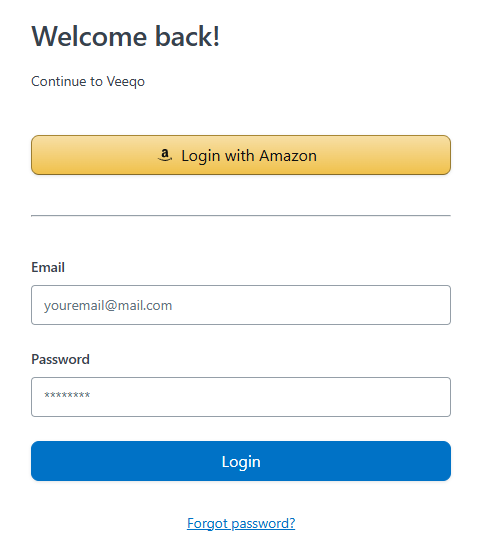
4. You will be redirected to Veeqo. Sign in with your Amazon account or the login details used when you created your Veeqo account.
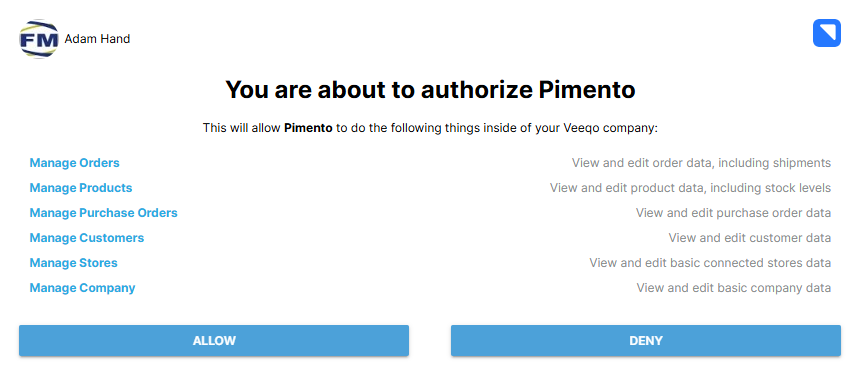
5. Once your credentials have been entered, you will be required to authorize Pimento access. Please click on Allow and then you will be redirected back to your WMS account successfully adding the integration.
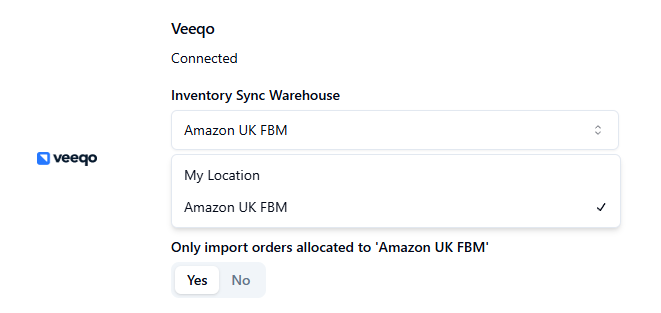
6. Within the integration settings, ensure that the Inventory Sync Warehouse Amazon location is selected to make sure all Amazon orders come through. Also select all other desired settings if required; i.e. Inventory Sync and Order Import Allocation.
Whether your requirements are relatively modest, or you have thousands of items per day, rest assured that we can help.